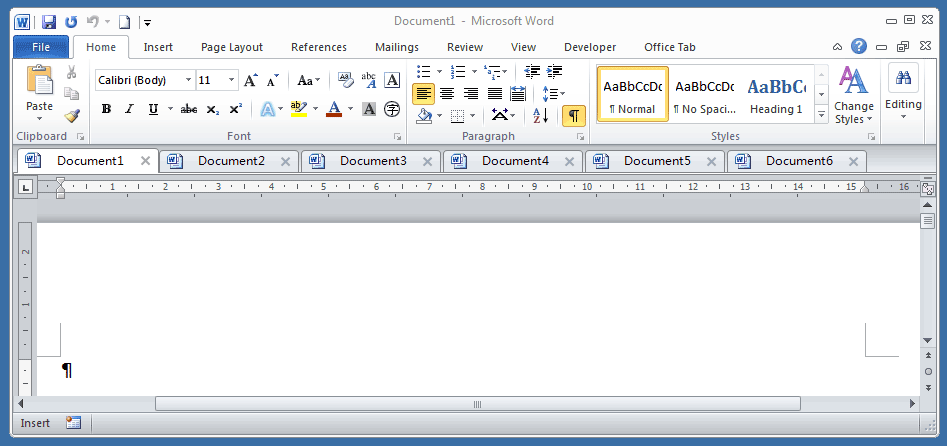
How to change the color or remove the underline from hyperlinks in Word?
When you insert hyperlinks in Word, the default hyperlink color is blue. And if you want to change the hyperlink color or remove the underlines of the hyperlinks, you can do as following steps:
Change the color of the hyperlinks in Word
Remove the underlines from hyperlinks in Word
Recommended Productivity Tools for Word
Kutools for Word: Integrating AI 🤖, over 100 advanced features save 50% of your document handling time.Free Download
Office Tab: Introduces the browser-like tabs to Word (and other Office tools), simplifying multi-document navigation.Free Download
 Change the color of the hyperlinks in Word

Office Tab: Brings tabbed interfaces to Word, Excel, PowerPoint... |
|
Enhance your workflow now. Read More Free Download
|
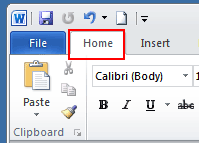
1. In the Hometab.
2. Click the small icon under Change Styles to open Styles window.

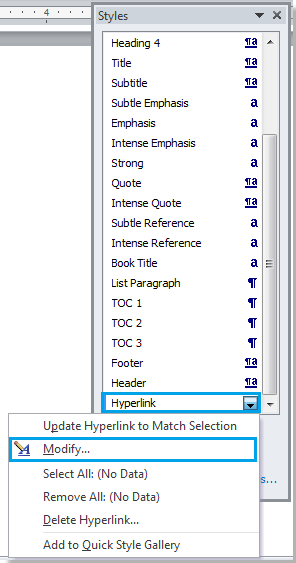
3. Click the Hyperlink drop down menu > Modify…
Note: this option will only appear if your document contains hyperlink.

4. In the Modify window, click on the blue color (default color) and choose your preferred color from the dropdown menu.

5. Click OK to apply the change.
Remove the underlines from hyperlinks in Word
1. Click Home tab, and go to click the Styles launcher button to display the Styles pane. See screenshot:

2. In the Styles pane, click on the drop-down icon or right click on Hyperlink, and then click Modify from the Hyperlink drop-down menu. See screenshot:
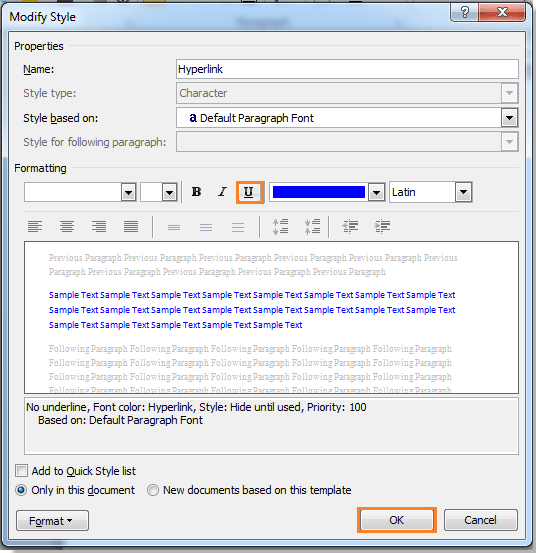
3. In the Modify Style dialog, click the Underline button then click OK to close the dialog. See screenshot:
4. Then close the Styles pane if you do not need it any more. You can see the result as shown as below:
 |
 |
 |
Relative Articles:
- Remove all horizontal lines from Word document
- Remove all comments from document in Word
- Remove all bookmarks in Word
Use Tabbed Document Interface in Office 2003/2007/2010/2013/2016/2019:
 Using tabs in Word, Excel, PowerPoint, Publisher, Access, Project and Visio;
Easy to switch back and forth between files in Microsoft Office 2003/2007/2010/2013/2016/2019;
Compatible with Windows XP, Windows Vista, Windows 7 / 8 / 10, Windows Server 2003 and 2008, Citrix System and Windows Terminal (Remote Desktop) Server;
Free trial without feature limitation in 30 days!