How to rename a document or file in Word?
It would be beneficial to rename a document when you manage a large amount of Word documents, and especially when you rename logically and simply, those word documents are good to identify, edit and organize. This tutorial will introduce ways to rename documents for you.
Rename Word document by right click after saving
Rename Word document by Save As
Rename Word documents by Office Tab
Recommended Productivity Tools for Word
Kutools for Word: Integrating AI 🤖, over 100 advanced features save 50% of your document handling time.Free Download
Office Tab: Introduces the browser-like tabs to Word (and other Office tools), simplifying multi-document navigation.Free Download
 Rename Word document by right click after saving

Office Tab: Brings tabbed interfaces to Word, Excel, PowerPoint... |
|
Enhance your workflow now. Read More Free Download
|
Go to the folder you save the document to right click on the document and select Rename in the Menu context. See screenshot:

Rename Word document by Save As
Kutools for Word, a handy add-in, includes groups of tools to ease your work and enhance your ability of processing word document. Free Trial for 45 days! Get It Now!
Step 1. Click in  Word 2007 or in
  Word 2010/2013, and select Save As.
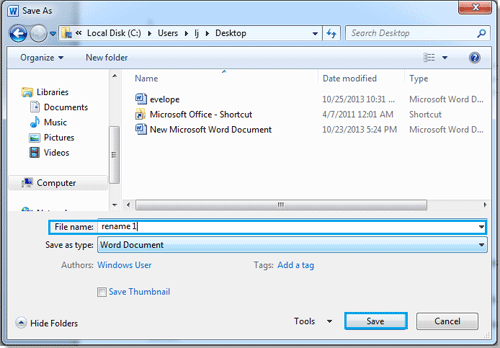
Step 2. Choose the folder you want to save to and rename it on the File name text box, click Save button. See screenshot:
 |
 |
 |
Note:
1. Select the type you need from Save as type drop-down list.
2. It will rebuild a new document after renaming the document.
Rename Word documents by Office Tab.
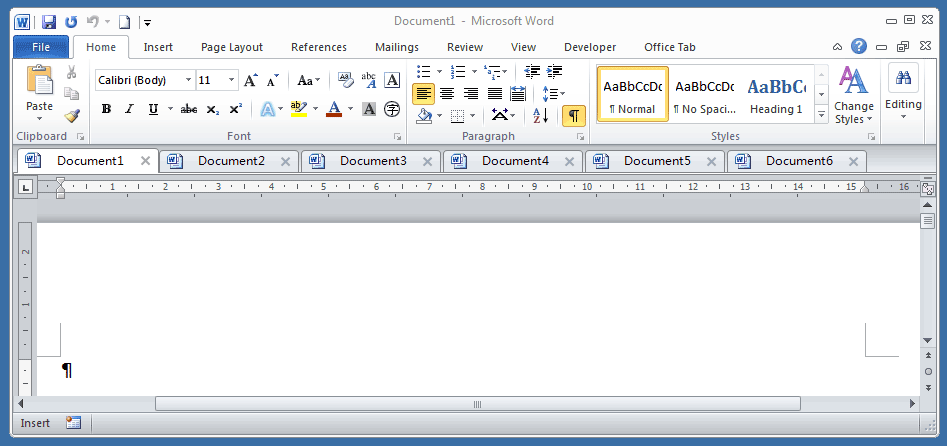
If you install Office Tab in your computer, it will be easy and quick to rename documents by right click on the document tab. See screenshot:

Use Tabbed Document Interface in Office 2003/2007/2010/2013/2016/2019:
 Using tabs in Word, Excel, PowerPoint, Publisher, Access, Project and Visio;
Easy to switch back and forth between files in Microsoft Office 2003/2007/2010/2013/2016/2019;
Compatible with Windows XP, Windows Vista, Windows 7 / 8 / 10, Windows Server 2003 and 2008, Citrix System and Windows Terminal (Remote Desktop) Server;
Free trial without feature limitation in 30 days!